
Installation
FVA-Workbench licensing, download instructions, and system requirements
New licensing process
A new licensing process is being introduced with the release of FVA-Workbench 11.0.
Existing licenses must be reissued in order to use version 11.0. Your current licenses are not affected and can be used as normal. Additional new licenses will be provided.
Note: Support for FVA-Workbench 4.5 to 10.1.1 will end in April 2028. After the transition period, no new licenses will be issued for these versions. Long-term support is available for a fee. We recommend upgrading to a newer version.
To get your new license, please send an e-mail to lizenz@fva-service.de or use the following form:
If you do not have a current FVA-Workbench license but would still like to test the FVA-Workbench, please send us a short message.
License types
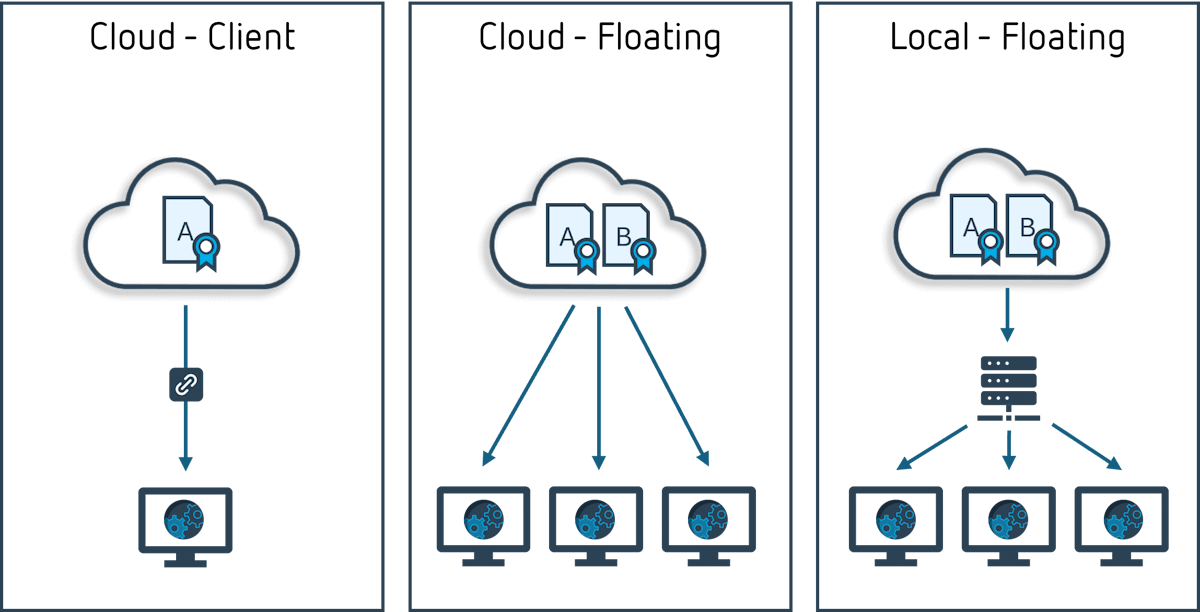
Which types of licenses are available for the FVA-Workbench?
Cloud client licenses
Computer-based: The FVA-Workbench can only be used on the linked device.
Cloud floating licenses
Shared pool of licenses for multiple users. Only one user can be active at a time for each license.
Local floating licenses
Shared pool of licenses for multiple users: A license server on the local network distributes licenses to the clients.
Sentinel License Manager
The Sentinel License Manager is a program developed by Thales that is now required to use the FVA-Workbench. It is installed by default as part of the FVA-Workbench setup, but is also available for download at the FVA Download Center.
For more information on the different license types and how they are used, visit the KnowledgeBase.
Download the FVA-Workbench
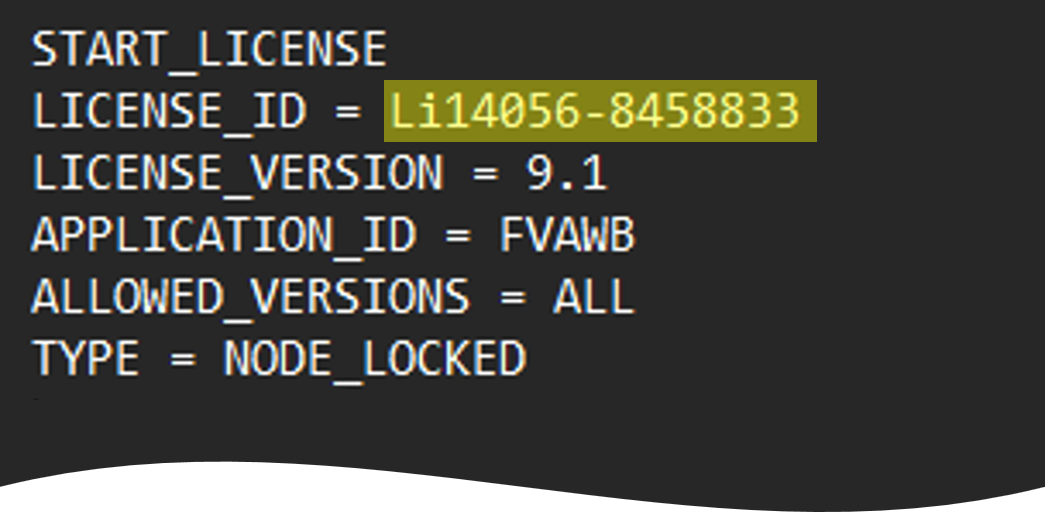
Current and previous versions of the FVA-Workbench are available for download from the FVA Download Center. A valid license ID is required to log in.
The license ID is your unique license number.
This can be found in your license file (.lic).
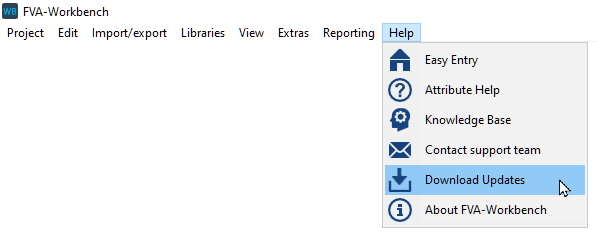
If you already have the FVA-Workbench installed, you can access the Download Center without entering your license ID.
System requirements
FVA-Workbench
Operating system: Windows 11
Processor: Intel i5, i7, i9 or comparable multi-core processor
Graphics card: DirectX 11 compatible graphics card
RAM: 16 GB for analytical calculations, 32 GB or more for calculations with FE components
Hard disk: 8 GB free hard disk space, SSD drive recommended
What are the system requirements for the FVA-Workbench?
Do you have questions about the system requirements? Please contact us.